Article

AdsPower: what this browser is and how to set up a profile and proxy

AdsPower is an antidetect browser: every profile has its own cookies, browser fingerprint and proxy, and websites see the profiles as different devices. That lets you run client accounts, team access and test accounts on one computer without mixing them up. AdsPower runs on Windows, macOS and Linux, two profiles are free forever, and you bring your own proxies: HTTP, HTTPS, SOCKS5 or SSH.

Updated October 26, 2026·8 min read
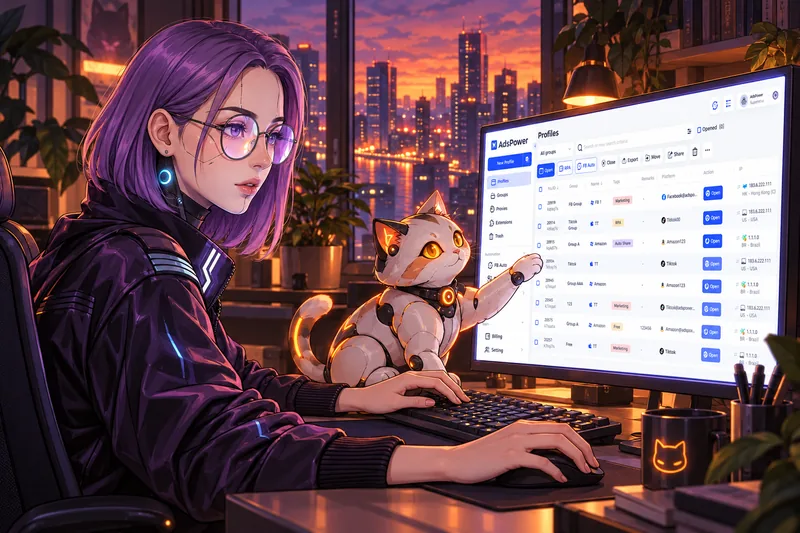
Neko works in AdsPower in the evening: the monitor shows a list of browser profiles, and the robot cat next to her points a paw at one of the rows

What AdsPower is

AdsPower is a browser for working with many profiles. A profile is a separate browser with its own cookies, history, extensions, fingerprint and proxy. A website you open in a profile sees a separate device with a separate address. There are two engines inside: SunBrowser, based on Chrome, and FlowerBrowser, based on Firefox.

A regular browser keeps everything in one place. Log into two accounts of the same service there, and they share cookies, address and device, so the service can tell one person is behind both. In AdsPower every account gets its own environment.

  • Profiles

    Each profile keeps its own cookies, history and extensions. Profiles cannot see each other.

  • Fingerprint

    Over 20 settings and 50 parameters: OS, screen, fonts, time zone, language. A profile can present itself to websites as Windows, macOS, Linux, Android or iOS.

  • Proxy

    Every profile gets its own address. Supported types are HTTP, HTTPS, SOCKS5 and SSH. AdsPower has no proxies of its own: you buy them from a provider or run one on your server.

  • Team

    Share a profile with a colleague without sharing the account password. Permissions are set per profile and per action.

  • Automation

    RPA for repetitive actions, a window synchronizer and an API that lets scripts and AI agents control profiles.
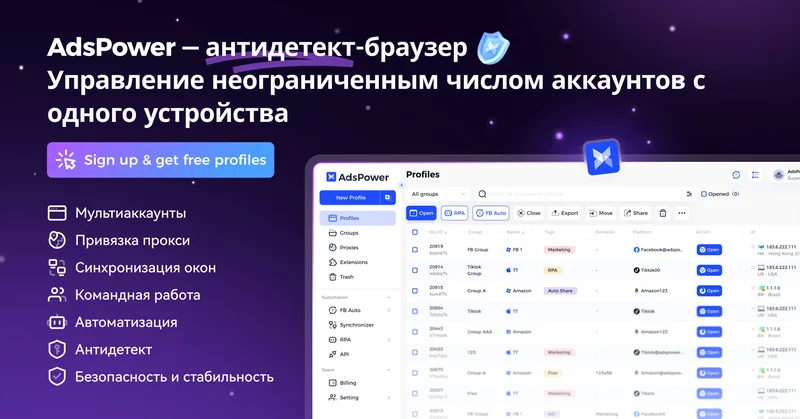
AdsPower antidetect browser: many profiles with separate proxies on one computer

Who needs an antidetect browser

  • Agencies and freelancers who run ad accounts and social media for clients. Every client gets a profile, access never gets mixed up, and you cannot open the wrong client's account by mistake.
  • Teams. A colleague opens the work profile on their own computer, and the account password stays with the owner.
  • Anyone who checks websites and ads: how a page looks from another country, another OS or a phone.
  • Anyone who keeps personal and work apart: work accounts live in separate profiles with a stable address.

An antidetect browser does not change the rules of the platforms. If a service allows one account per person, a second AdsPower profile does not lift that rule. Services also link accounts by behaviour and payment details, so read their terms before you create several accounts on one platform.

How to create a profile in AdsPower: five steps

  1. Install. Sign up, download AdsPower for Windows, macOS or Linux and log into the app with your email.
  2. New profile. Click New Profile and set the name, group, browser engine (SunBrowser or FlowerBrowser) and the OS the profile will show to websites.
  3. Proxy. Pick the type (HTTP, HTTPS, SOCKS5 or SSH), enter host, port, login and password, and click Check Proxy. The app shows whether the proxy works and which country its address is in.
  4. Fingerprint. Keep the default settings to start with. Time zone, language and geolocation must match the proxy country, and AdsPower can set them from the proxy address.
  5. Work. Open the profile with the Open button and log into the account you need. From then on, log into that account only from this profile: cookies and history build up in one place, and the service sees a familiar device.

Which proxies work for AdsPower

The proxy sets the address a website sees for the profile. Every website sees it, and from it a service learns the country, the provider and who else connects from the same address. That is why the proxy matters more than fine-tuning the fingerprint.

DatacenterResidentialMobileYour own server over SSH
Where the address comes fromA hosting datacenterHome internet of ordinary peopleA mobile carrier networkYour VPS at a hosting provider
Who else uses itOther customers of the proxy providerCan be shared, depends on the providerHundreds of the carrier's subscribersOnly you
Address stabilityStableChanges unless you buy a sticky sessionChanges on reconnectStable while you keep the server
PriceCheapestMore expensive, usually billed per gigabyteMost expensiveIncluded in the server rent
Weak spotWebsites recognise datacenter addresses and show captchas more oftenThe address may carry someone else's historyCaptchas because the address is sharedAlso a datacenter address, but its history is yours alone

Free public proxies are no good for any real work: the address is shared, its history is bad, and traffic with your passwords goes through a stranger's server.

Your own server as a proxy over SSH

If you already have a VPS, it can serve as the proxy for a profile. In AdsPower pick the SSH type and enter the server address, port, login and password. The browser goes online through your server, and websites see its address.

  • The address is stable and belongs only to you: nobody else connects from it.
  • Cookies and fingerprint build up in one profile on one address, and websites show captchas less often.
  • No separate proxy bill: it is included in the server rent.
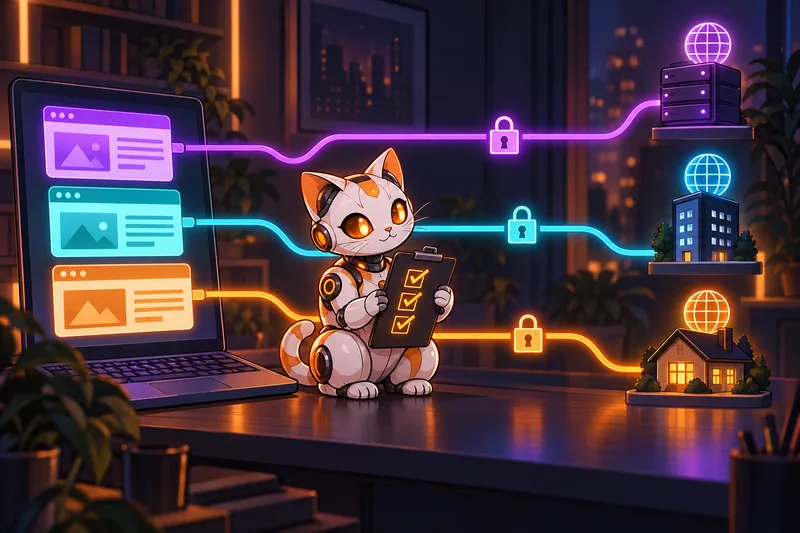
A robot cat with a clipboard and three ticks sits between a laptop and three internet addresses: each of the three browser windows has its own cable with its own lock
Every profile has its own route to the internet. The routes never cross.

Create a separate user with a password on the server for the proxy. Never put the root password into profile settings: profiles get shared and exported, and access to the whole server would go with them.

For NekoAgent clients the Iris support service does this. Just ask her to set up an SSH profile for AdsPower: Iris creates a separate user with a password on the agent's server, and the root password never shows up anywhere.

Common AdsPower mistakes

  • One proxy for several profiles. Websites see one address and link the profiles, so the separation is lost.
  • Logging into an account both from the profile and from a regular browser. The service sees two devices and asks you to confirm the login.
  • Time zone and language that do not match the proxy country: a German address with Moscow time in the profile.
  • Switching the proxy on a profile with a working account. The address jumps to another country, and the service asks for confirmation or blocks the login. Change the proxy only when the old one stops working, and keep the same country.
  • Free and unverified proxies: someone else's address with a bad history and an unknown server in the middle.
  • The root password in SSH proxy settings. Whoever sees the profile gets the whole server.

AdsPower antidetect browser. Sign up: free profiles

AdsPower and AI agents

AdsPower has a local API and an official MCP server, with TypeScript and Python versions on AdsPower's GitHub. Through it an AI agent creates profiles, opens and closes them, and changes proxy and fingerprint settings. The API is local, so the agent runs on the same computer as AdsPower.

That way you can hand routine browser work to an agent: open a client's profile, export a report, check the ads. How an agent gets its tools and solves tasks is covered in How AI agents work.

When you need AdsPower and when you don't

  • You run accounts for several clients or a team with shared access

    AdsPower: a separate profile and proxy for each client
  • You need a stable address for a couple of work accounts and have your own server

    One profile with an SSH proxy to your server
  • You want an assistant to handle routine work in the browser and in chats

    An AI agent on your own server

An agent on your own server

Plans from 24,900 RUB for three installs. The agent's server also works as a proxy for AdsPower, and Iris will set it up.

Key questions

What is AdsPower?

An antidetect browser for working with many profiles. Each profile has its own cookies, browser fingerprint and proxy, and websites see the profiles as different devices.

Is AdsPower free?

Two profiles are free forever, no bank card needed. More profiles and team features come with paid plans, prices are on the AdsPower website.

Which proxies does AdsPower support?

HTTP, HTTPS, SOCKS5 and SSH. The app has no proxies of its own: you buy them from a provider or run one on your own server.

Which systems does AdsPower run on?

Windows, macOS and Linux. A profile can present itself to websites as Windows, macOS, Linux, Android or iOS.

Can I use my own server as a proxy?

Yes, with the SSH type: the server address, port, and the login and password of a separate user. Never put the root password into profile settings.


More articles

Neko assembles an AI agent from parts: a model, a server, Telegram and a knowledge base
Article · 8 min

How to create your own AI agent: DIY or turnkey

Your own AI agent needs four things: a model, a harness that gives the model memory and tools, a server where the agent runs around the clock, and a channel to talk to it, usually Telegram. You can put this together in a no-code builder, by hand from open source, or turnkey. Here is what each path costs in money and time.

Read the article
  • What an agent is made of
  • Three paths compared
  • Monthly cost
  • Turnkey, step by step
Neko weighs free software on a scale against a server, a model and time
Article · 6 min

Free AI agents: what is really free and what you pay for

The only free part of an AI agent is the software: OpenClaw and Hermes Agent are open source. The server that keeps the agent running around the clock and the model that does its thinking always cost money, and you pay for installation and upkeep with your time. The free tier of ChatGPT or Claude gives you a chat assistant, and you cannot build an agent out of it.

Read the article
  • What is free and what is not
  • Free ChatGPT vs an agent
  • OpenClaw and Hermes
  • Monthly costs
Neko examines a transparent robot cat through a magnifying glass; inside are the model, tools, memory and schedule
Article · 6 min

How AI agents work: explained in plain words

An AI agent is a language model that has been given tools, memory and a schedule. The model decides what to do, and a harness program carries out its decisions: reads files, sends messages, runs commands on a server. The agent works in a loop: it gets a task, makes a plan, takes a step, checks the result and decides what comes next.

Read the article
  • What an agent is made of
  • The work loop
  • How an agent remembers
  • Where agents go wrong
Neko at a desk between two robots: the assistant holds a speech bubble, the robot cat agent heads off to work with letters, an alarm clock and a key
Article · 6 min

AI agent vs AI assistant: the difference and which to choose

An AI assistant answers questions in a chat: you ask, it writes an answer, and you do the rest. An AI agent does the whole job: it works with email and files, remembers people and agreements, acts on a schedule and messages you first. The same model does the thinking for both; what differs is what is built around it.

Read the article
  • What the difference is
  • A comparison table
  • One task, two approaches
  • What to choose
Neko on a balcony records a voice message, and the robot cat agent writes her words into a glowing notebook
Article · 7 min

How to set up an AI agent: the first two weeks

Setting up an AI agent means telling it about yourself and your work, giving it simple first tasks and correcting it in words when it gets something wrong. All of this happens in an ordinary Telegram chat, without code. The agent writes what you say into memory, so every week it asks less and does better. Below is a plan for the first two weeks.

Read the article
  • What to tell it on day one
  • First tasks
  • How to correct the agent
  • Scheduled tasks
Neko in a bright workshop compares four robot agents on a table, a robot cat among them
Article · 7 min

Which AI agent is best: types of agents and how to choose yours

There is no single best AI agent for every case: agents come in four types, and each suits its own owner. They are cloud builders, the open-source agents OpenClaw and Hermes, your own agents on Claude Code or Codex, and ready-made turnkey agents. You choose by five questions: where the data lives, who fixes it, what it costs per month, whether it works in Telegram and which AI subscription it accepts.

Read the article
  • Four types of agents
  • Five questions to choose by
  • A comparison table
  • What to ask before buying
Neko in a bright office hands a stack of tasks to a robot cat sitting at its own desk with a laptop and a badge
Article · 7 min

AI employee: what it does, where a human is needed and what it costs

An AI employee is an AI agent given part of your regular work: correspondence, reminders, documents, summaries and reports. It works around the clock on a server, remembers people and agreements and runs tasks on a schedule. Money, promises to clients in your name and decisions with a high cost of error stay with a human. Per month an AI employee costs a server of about 1,500 RUB, an AI subscription and support.

Read the article
  • What the agent covers
  • Where a human is needed
  • Monthly cost
  • How to set tasks
In the evening Neko closes her laptop, while a robot cat with a phone sits on a running home server and keeps working
Article · 7 min

Local AI agent: on your own computer or on a server

A local AI agent is one that runs on your hardware rather than at a service. People mean two different things by it: a local model, when the neural network itself runs on your computer, and a local harness, when the agent program, files and memory live with you while a cloud model such as Claude or GPT does the thinking. An agent that works around the clock needs a computer that stays on, so it usually goes on your own server (VPS), about 1,500 RUB a month, rather than a laptop.

Read the article
  • Local model vs harness
  • An agent on a PC
  • Why you need a server
  • Where data is stored
In a small coffee shop Neko takes one sticky note with a task off a board and hands it to a robot cat holding a stopwatch
Article · 7 min

Implementing AI agents in a small business: a one-month plan and how to measure the gain

You can implement an AI agent in a small business within a month and without a separate project. Take one repeating routine, install the agent, spend two weeks fine-tuning it in ordinary chat and count how many hours a week it takes off your plate. No spec or integrations are needed at the start: an agent in Telegram only needs your explanations and access to the right files. Each month it costs a server of about 1,500 RUB and an AI subscription.

Read the article
  • The first routine
  • Two weeks of fine-tuning
  • How to measure the gain
  • Implementation mistakes
Neko types commands in a terminal in the evening, while a robot cat next to her studies an unfolded manual over an open box of parts, puzzled
Article · 7 min

Hermes Agent: what it is, how to install it and what you maintain yourself

Hermes Agent is a free, open-source AI agent from Nous Research under the MIT license. You install it on your computer or server, connect a model and a messenger, and it carries out tasks, keeps memory of past conversations and creates skills from solved tasks on its own. Installation is one terminal command or the Hermes Desktop app for Windows and macOS, followed by the “hermes setup” command. The software is free, while the model, the server and the upkeep stay with the owner.

Read the article
  • What Hermes can do
  • Installation step by step
  • Which models fit
  • What you maintain yourself
Neko plugs a cable into a small home server in the evening, wires run from it to colourful chat bubbles, a robot cat sits on the server holding a padlock, and a red toy lobster stands nearby
Article · 8 min

OpenClaw: what it is, how to install it and connect Telegram

OpenClaw is a free, open-source AI assistant under the MIT license. It runs on your computer or server and answers in the messengers you already use: Telegram, WhatsApp, Discord, Slack, Signal and others. Installation is one terminal command, then a setup wizard connects the model, which takes about five minutes according to the docs. The software is free, while the model, the server, updates and security stay with the owner.

Read the article
  • What OpenClaw can do
  • Installation step by step
  • Telegram and a Claude subscription
  • What you maintain yourself
Neko on a sofa in the evening with her phone compares two helpers on the table: a plain grey bot waits with a single message bubble, while a robot cat juggles a calendar, an email, a document and a reminder
Article · 7 min

AI bot for Telegram or an AI agent: the difference and which to choose

An AI bot for Telegram is a bot that passes your message to a neural network and sends its answer back to the chat. An AI agent in Telegram looks the same but works differently: it lives on a server, remembers people and tasks, works with your files and email and messages you on a schedule. To ask, translate or draft a text, a bot is enough. To run your affairs every day, you need an agent.

Read the article
  • What an AI bot in Telegram is
  • How an agent differs from a bot
  • Comparison and prices
  • When a bot is enough
Neko at a workbench in the evening compares two glowing cores, orange and teal, while a robot cat with an open chest hatch waits next to her for one of them
Article · 7 min

Claude Code or Codex: which engine to choose for a personal AI agent

Claude Code by Anthropic and Codex by OpenAI are two harnesses that turn a model into an agent: they give it files, commands and tools on a server. For a personal agent the main choice between them is the subscription: Claude Code runs on a Claude Pro or Max plan, Codex on a ChatGPT plan, in a server terminal from Plus and up. The agent's memory, Telegram and schedule do not depend on the engine, and in NekoAgent you can switch the engine later right from the chat.

Read the article
  • What Claude Code and Codex are
  • Which subscription you need
  • How they differ day to day
  • Can you switch engines
Neko in a bright loft writes an instruction card and hands a finished glowing card to a robot cat holding an open card file with colored tabs
Article · 7 min

Claude Code skills: how to teach an AI agent a new task

A Claude Code skill is a folder with a SKILL.md file: a short description of when it is needed and step-by-step instructions. The agent sees the descriptions of all its skills and opens the right one by itself when a task matches the description, reading the full text only at that moment. This way you teach the agent a recurring task once, such as replying to a review or a weekly report, and never explain it again. Codex by OpenAI understands the same format.

Read the article
  • What a skill is
  • How the agent picks a skill
  • Business examples
  • Skills and plugins
Neko relaxes in an armchair with a tablet while a robot cat sorts letters into trays on its own and shows her a card with a question mark and a green check; a low glass barrier glows next to the desk
Article · 7 min

Autonomous AI agents: what an agent does on its own and when it asks a human

An autonomous AI agent performs tasks without a command for every step: on a schedule and by the rules you gave it. It sends summaries and reminders, prepares drafts, records decisions in its memory and messages you first. Money, messages to people on your behalf and deleting data are best kept subject to your confirmation, even for an autonomous agent. Limits are set in two ways: with rules in your chat with the agent and with the access you give it.

Read the article
  • What the agent does alone
  • When it asks a human
  • How to set limits
  • Several agents
Neko in her kitchen in the evening looks at a chat message on her phone; a robot cat on the counter holds a glowing card with a bell and a checklist; on the fridge are a calendar with circled dates, a child's drawing and a shopping list, next to a grocery bag and a folder of documents
Article · 7 min

Personal AI assistant: errands, family and reminders in one chat

A personal AI assistant is an agent that runs your errands in Telegram: it remembers agreements, dates and documents, reminds you about them on its own and takes tasks by text or voice. It differs from an AI chat on your phone in two ways: it has a lasting memory about you and it messages you first when a deadline approaches.

Read the article
  • What to give the assistant
  • How it differs from a chat
  • An assistant for the family
  • Personal data